Kendo Grid Batch Mode Page Submit
A walkthrough using Telerik's Kendo UI Grid in batch editing mode where multiple row additions, edits, an deletions are staged client-side and sent to the server as a single "submit" action, rather than one request per change.
How batch mode works
In my previous blog I demonstrated how to put the Kendo grid in batch mode and submit all CRUD operations with the grid's built-in save button. The grid performed as needed; we were able to save all operations in the CRUD handlers. Typically however, the gird won't be the only component in a view; there would be other fields in the view whose values need to be committed to the database...
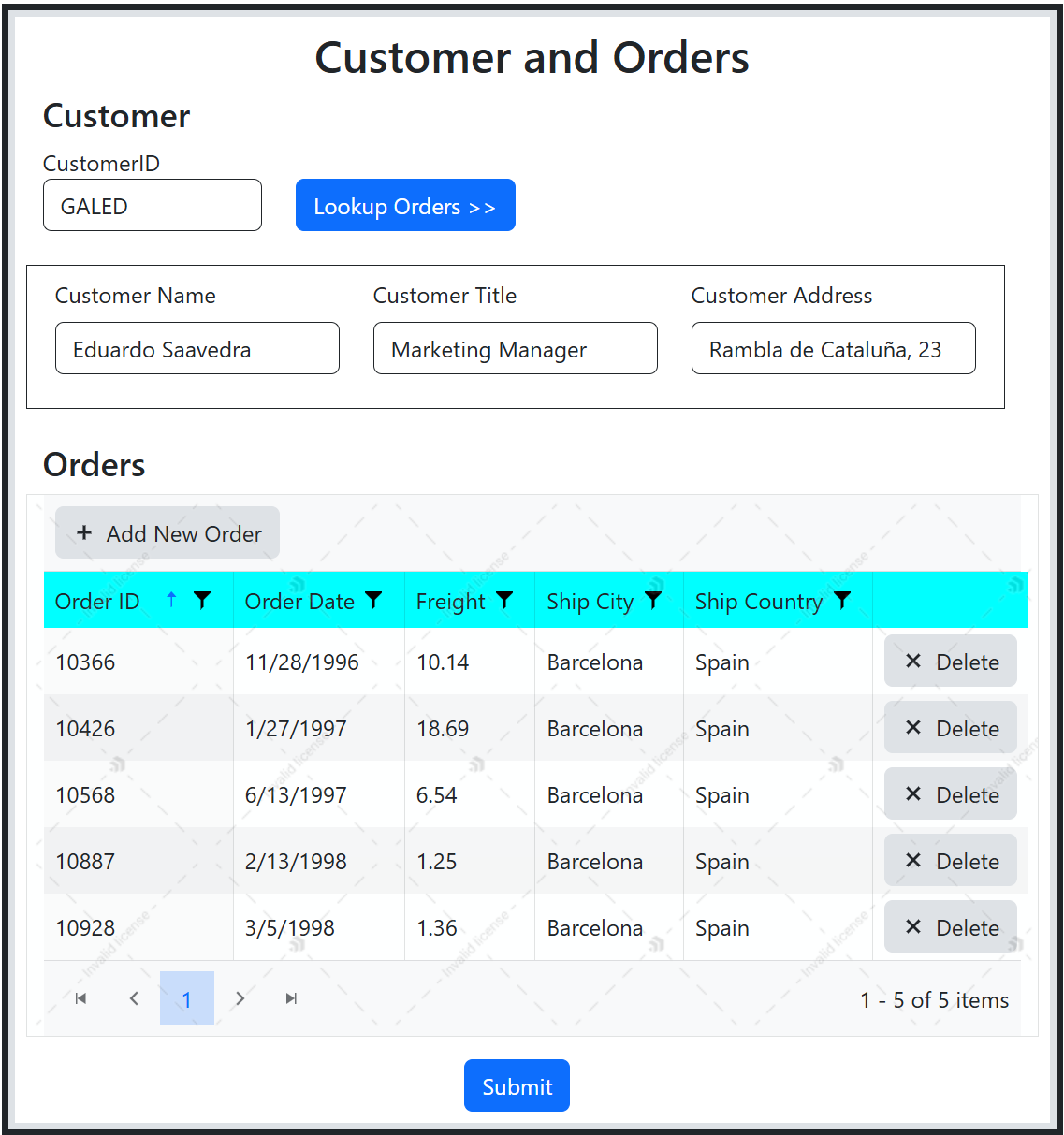
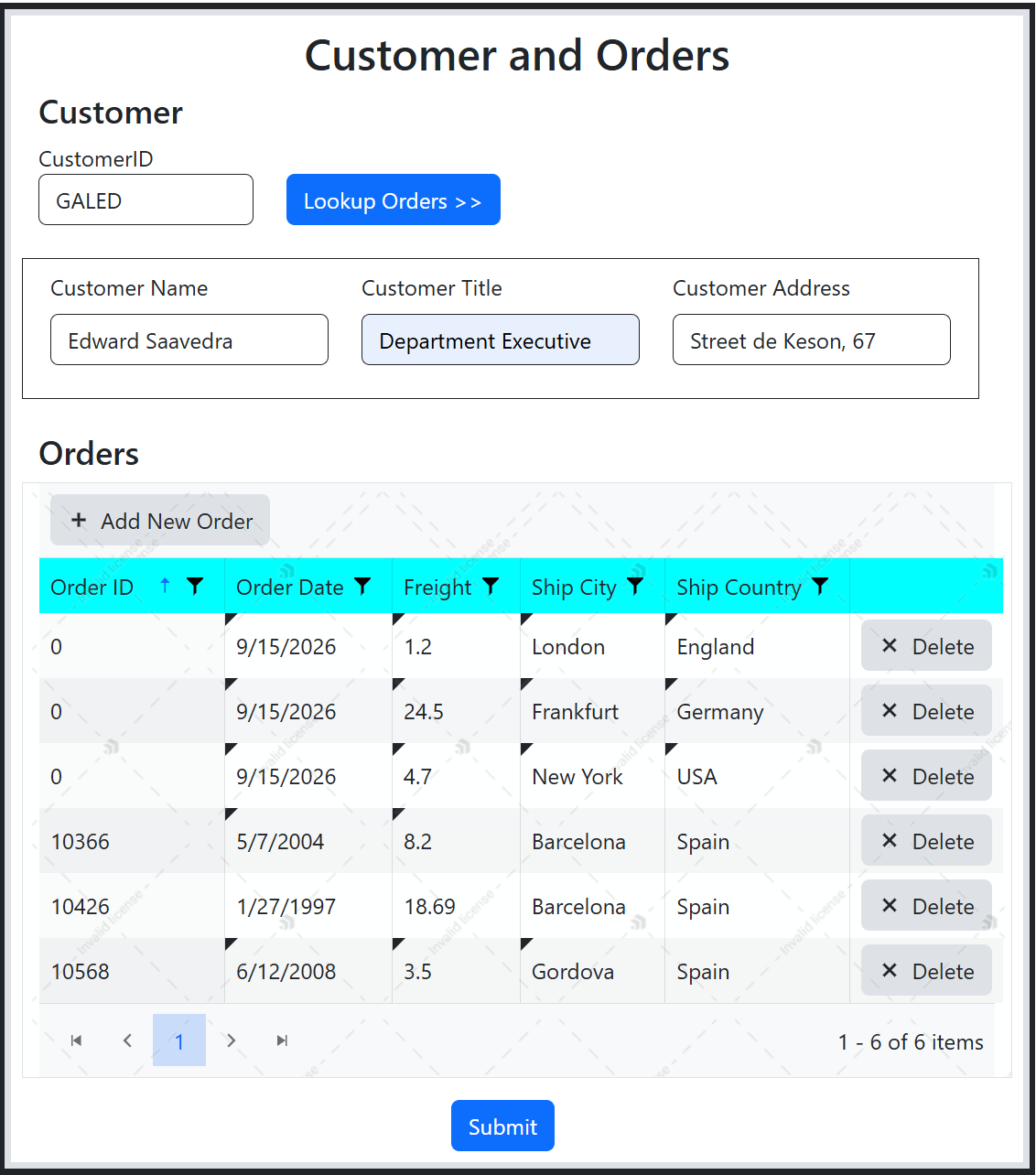
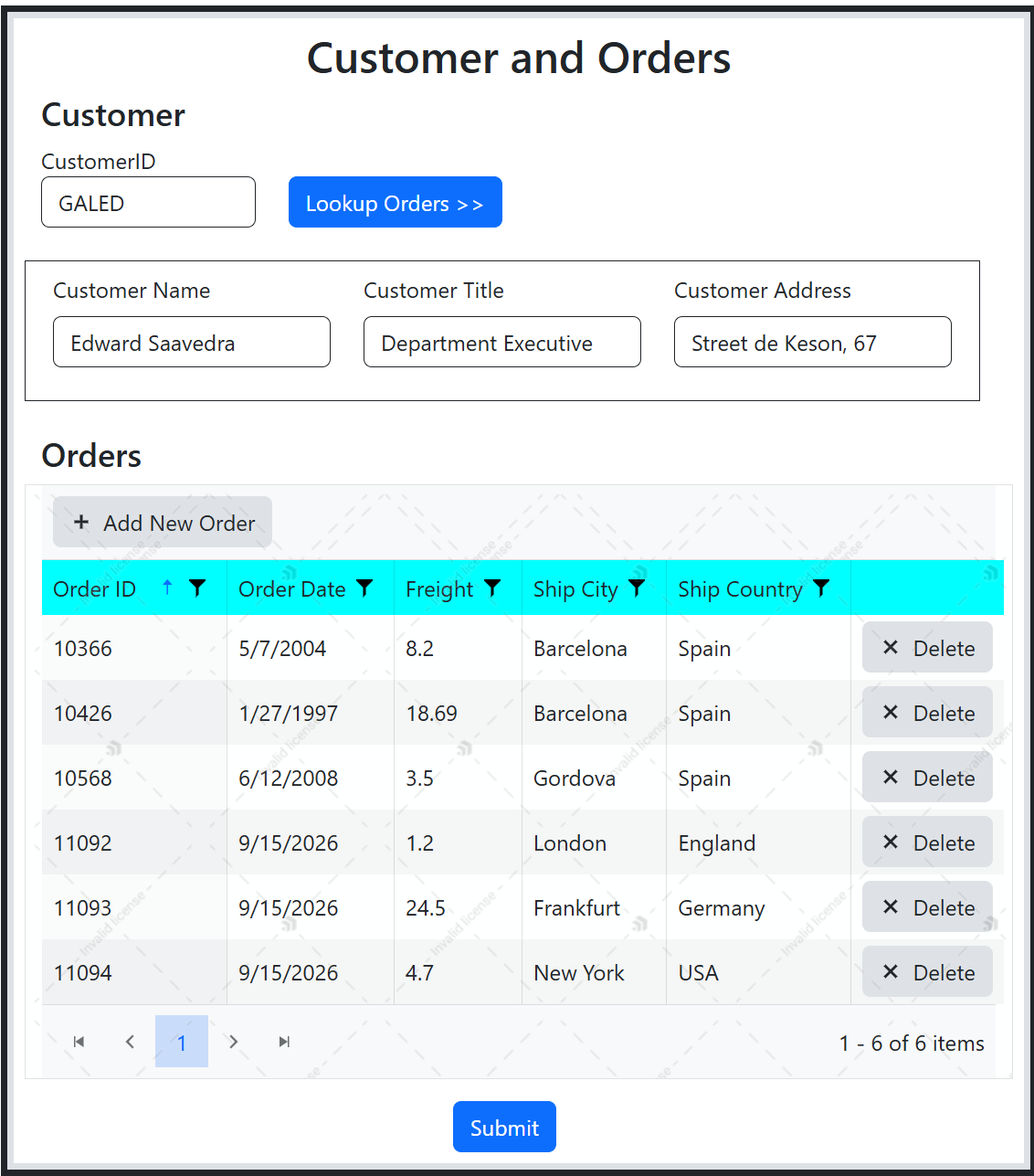
Consider the view below. It has customer Name, Title, and Address that need to be saved along with the customer orders in the grid. The grid's built-in "save" button (in the previous blog, not show in view here) only saves the grid's rows, it has nothing to do with any other fields in the view; it certainly won't postback the view to the controller. The typical thing to do here is to simply slap a submit button that postback the entire view fields to the controller and store the values in the database. Well, the Keno Grid does not postback its rows (the grid doesn't render its rows as input fields but as <table> with <tr> and <td> tags). So if you go to the postback method in the controller, you won't be able to see the grid's rows. Let me demonstrate this limitation -- I add a Submit button to the view below to save the entire view (fields and grid rows):
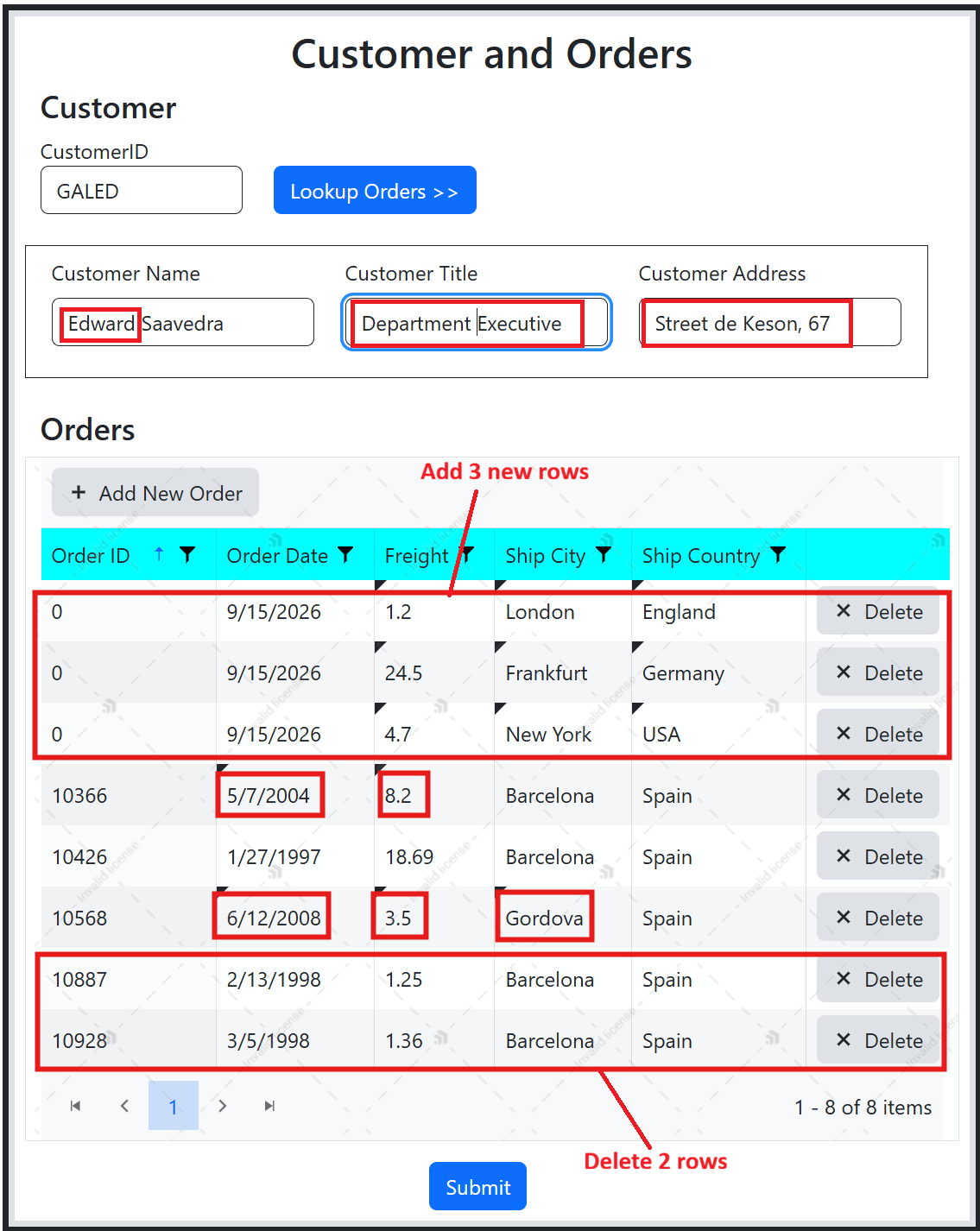
I make some changes to the customer's info and its orders (changed customer Name, Title, Address, and in the orders grid, I add, delete, and edit rows:
Click Submit. In the Edit postback, I inspect the view's viewmodel
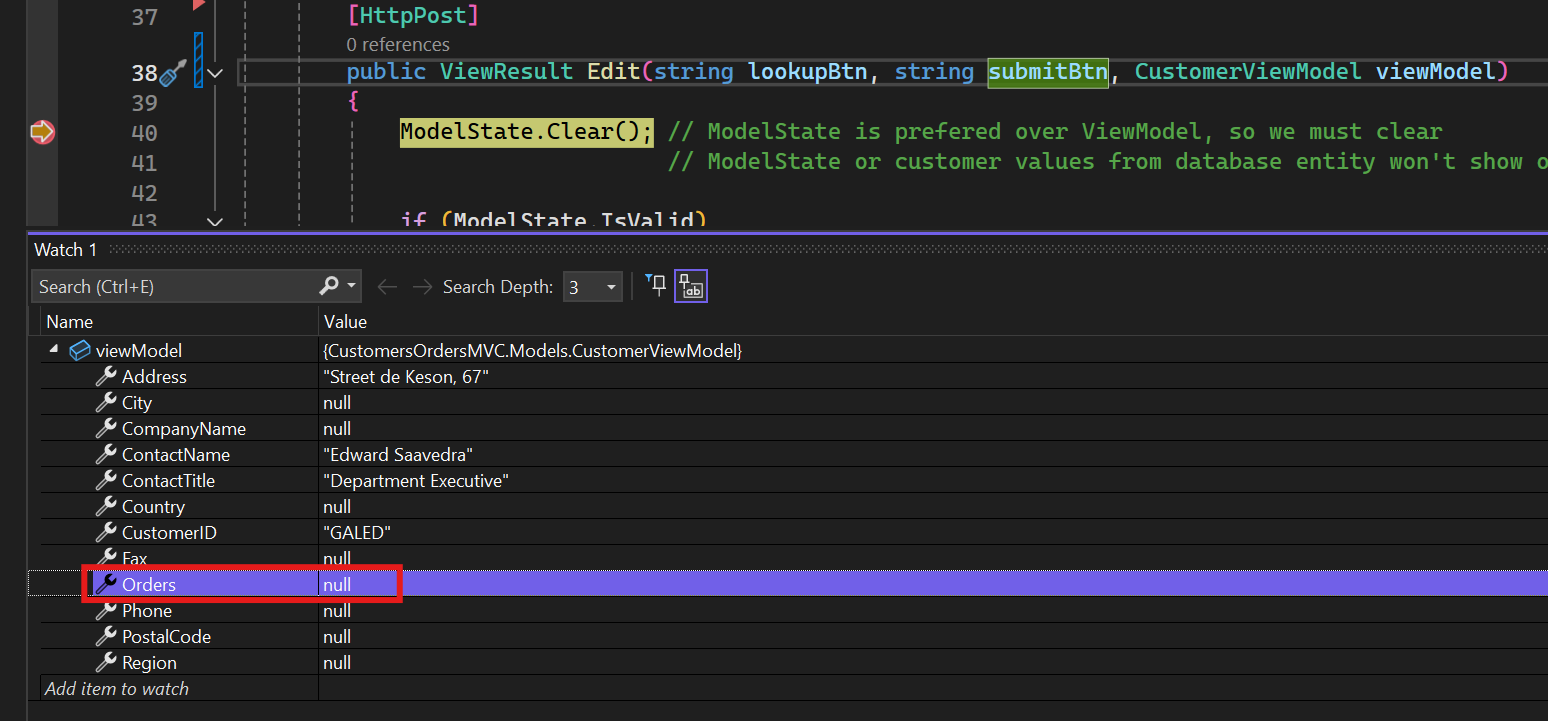
You can see the Orders list in the ViewModel are empty (I even tried to return the bound ViewModel orders and that was null).
Between Telerik echosystem and Stack Overflow, I found sporatic mention of this limitation, nothing that offered a complete solution. I set out to provide a solution to this limitation. Here are the steps:
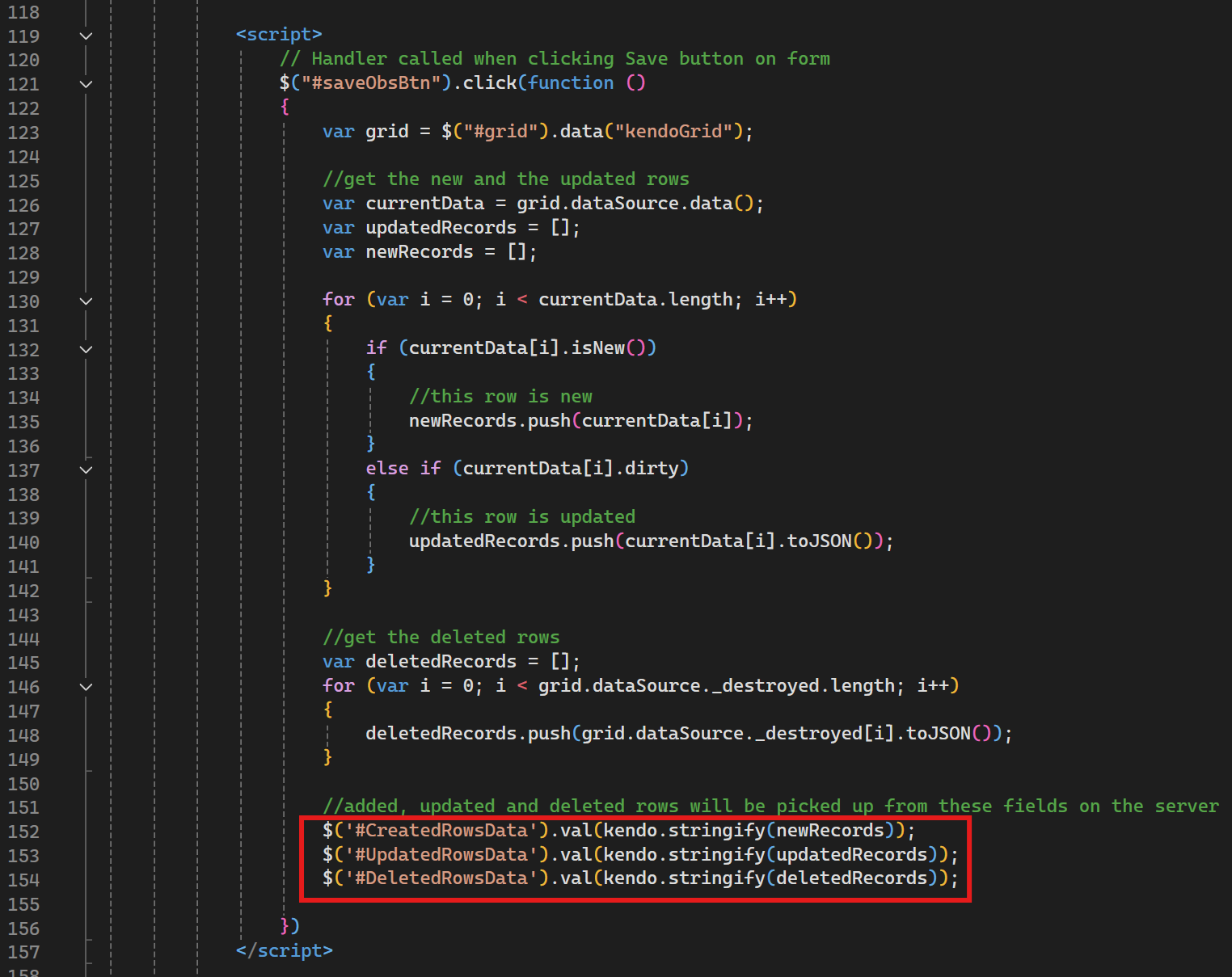
1. Add three hidden fields to the view to hold added, updated, and deleted rows
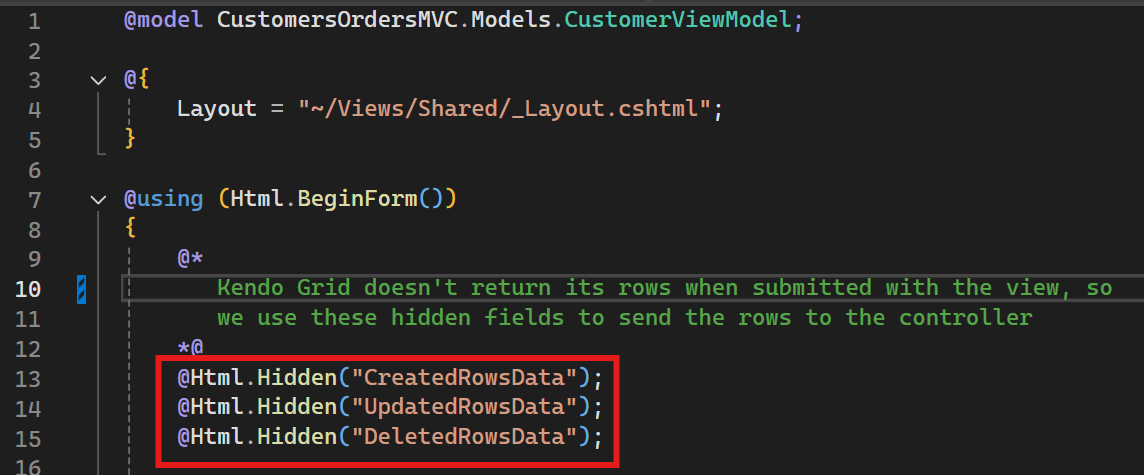
2. On the client, when pressing the submit button, capture affected rows and store them in the hidden fields. Here I use the grid's built-in client properties dataSource.data() and dataSource._destroyed() to obtain the grid's current and deleted rows.
3. In the controller, in the Edit postback method definition, I add the FormsCollection parameter:
[AcceptVerbs("Post")]
public ActionResult Edit(string lookupBtn, string submitBtn, FormCollection fc, Customer viewModel)
FormsCollection fc parameter contains the hidden fields.
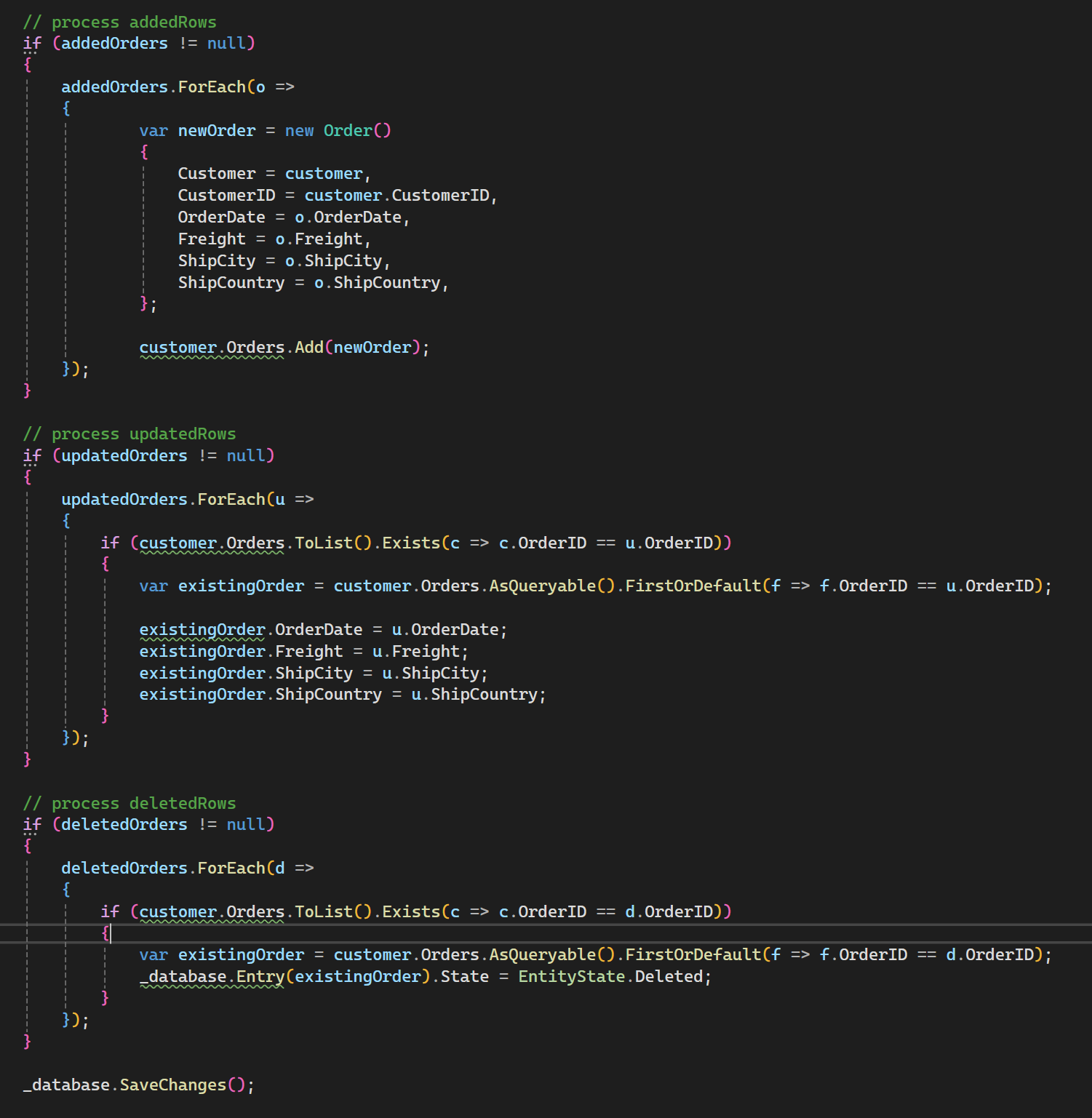
4. Deserialize the row values from the FormsCollection into variables

5. Update the ViewModel then commit it to the database
Test the Solution
Let's run through a test now. I made the following changes to the records I show at the beginning of this blog:
- Changed cutometer info (Name, Title, and Address)
- Deleted last two orders 10887 and 10928 (not showing in picture after been deleted from the grid)
- Add three new orders (Order IDs show as 0 until the view is submitted and saved)
- Updated order 10366 Order Date and Freight, and order 10568 Order Date, Freight and City
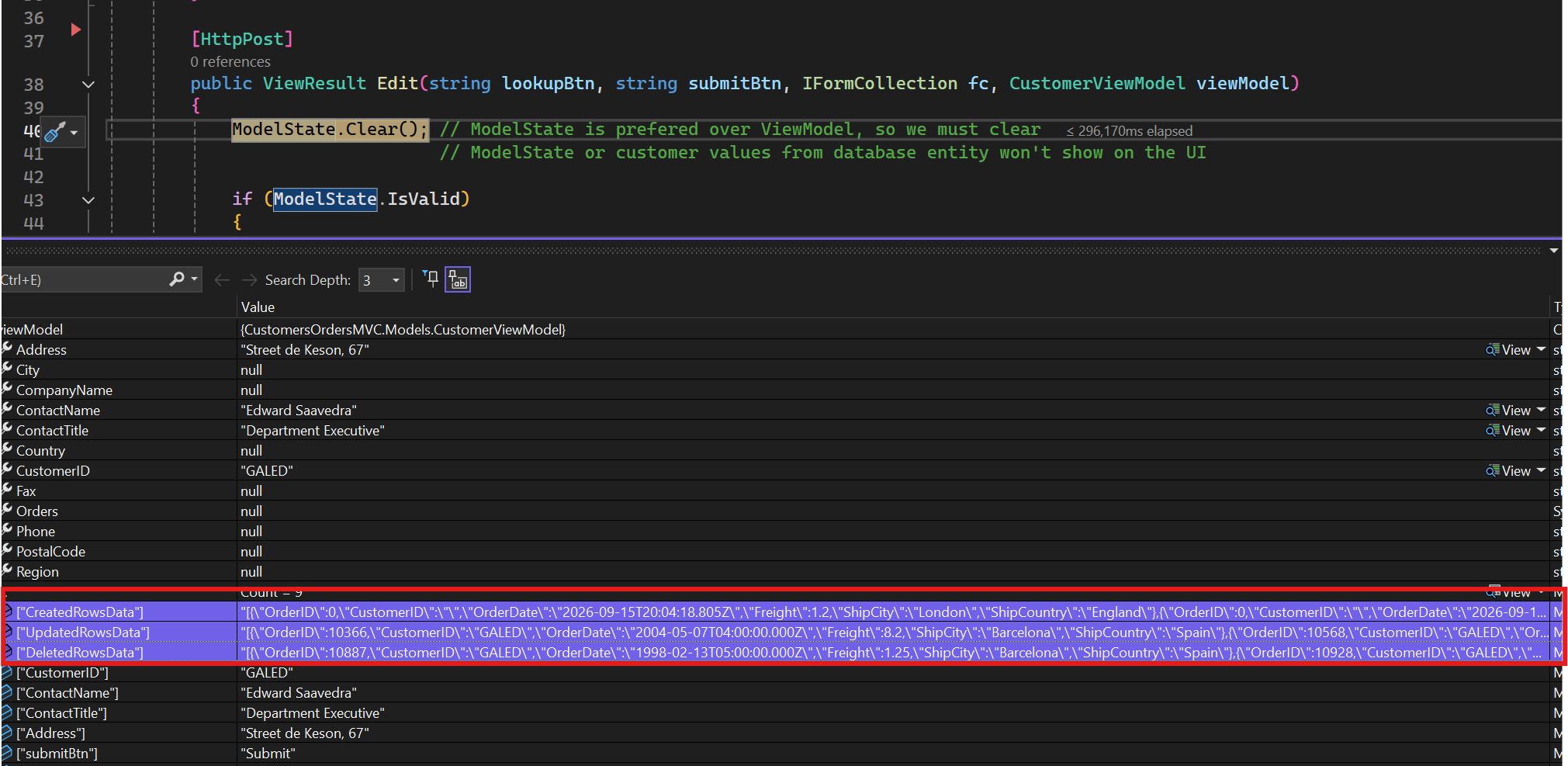
Inspecting the FormsCollection fc parameter coming into the Edit method postback, we see it has the changed rows:
After the save we see the records all saved accrodingly:
Notice that we now only need to have the Read handler in the grid; the Create, Update, and Delete handlers are not needed and should be removed so that they don't get called asynchronously when we submit the view. All add/update/delete processing and commiting to the database is handled in the postback Edit method.
In this blog I have demonstrated a work-around this by-design intrinsic behavior to the Kendo Grid - the grid's inability to post its rows to the controller endpoint using a view submit button. I overcame this behavior by following a traditional programming "hack" of utilizing hidden fields and accessing those fields from the controller on the server, then I deserialized the fields and created EF entities that I eventually saved to the database.
Please note that this is by no means the only way to do it - Telerik has a well documented solution that I have not tested myself yet here: https://www.telerik.com/aspnet-core-ui/documentation/html-helpers/data-management/grid/binding/razor-page
Check out the complete solution on my GitHub. I hope this helps you in your specific application need.
Get the full source code
Clone the repo to run this Kendo Grid batch-mode demo locally.
git clone https://github.com/NewHope1/CustomersOrdersMVC.git
Add rows inline
New rows can be inserted directly into the grid and edited in place before saving.
Edit cells in place
Clicking a cell turns it into an editable field — no popups or page reloads needed.
Mark rows for deletion
Rows flagged for removal are visually marked but not deleted until save is confirmed.
Single submit action
All pending creates, updates, and deletes are sent together in one request on save.
Why batch mode
Batch submission reduces the number of round trips to the server, gives users a chance to review everything before committing, and keeps the grid responsive since the UI never waits on a network call for every keystroke or row action.